Key Takeaways
- AEM Sites and Edge Delivery Services now coexist on the same domain and CDN, enabling incremental migration rather than a big-bang cutover.
- There’s no direct migration path from the Page Editor to the Universal Editor: the move is only recommended for projects transitioning to Edge Delivery Services.
- The refactoring work is real: component dialogs, front-end code and editable fields all need rebuilding for the EDS architecture.
- The Experience Modernization Agent automates a significant share of migration work, compressing timelines from months to weeks or days for qualifying sites.
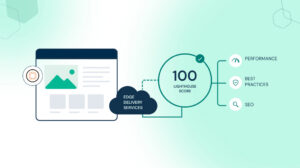
- A 100 Lighthouse score is the expected EDS baseline, not an optimization target, and it makes the performance case for migration concrete.
Moving a live AEM site to Edge Delivery Services means rebuilding the front end and rethinking the content architecture at the same time, on a site that’s still serving real traffic. Since Adobe Summit 2026, AEM Sites and Edge Delivery Services pages coexist on the same domain and the same CDN, so migration can happen incrementally. That removes the all-or-nothing objection that stopped most EDS conversations.
The Objection That Stopped Most EDS Conversations
Until recently, EDS looked like an all-or-nothing decision. Teams had to replatform the entire site, rebuild every component and cut over on a fixed date. For live, business-critical sites, that risk profile was hard to justify.
That objection is now structurally resolved. According to Adobe’s Cloud Manager documentation, organizations can deliver experiences using EDS while continuing to use AEM Author. AEM Sites pages and EDS pages coexist on the same domain. Traffic routes to different origins by path through the same Adobe-managed CDN.
A team can migrate one high-traffic section to EDS first, validate the performance gains in production and expand from there. That shifts the conversation from “should we migrate” to “where do we start.”
What Actually Changes in the Architecture
Understanding what needs to change technically separates realistic migration plans from ones that discover their scope mid-project.
The Front-End Rebuild
According to Adobe’s EDS overview, EDS replaces AEM Publish and Dispatcher with a front-end approach built for the network edge. Front-end code built with Core Components, HTL templates and clientlibs doesn’t transfer to EDS. The EDS model is plain CSS and JavaScript managed through GitHub with no build pipeline required.
For most enterprise AEM Sites implementations, this means component dialogs move from the Page Editor model to the Universal Editor’s properties rail, and front-end code rebuilds as EDS blocks in plain JavaScript and CSS. Editable fields map to the Universal Editor’s data attribute model, and teams need to rearchitect any custom JavaScript inside component dialogs entirely.
Teams should scope this refactoring work honestly before planning begins. Volume depends on how many custom components exist and how complex their dialog structures are. This piece on why IT and marketing misalignment is the biggest risk in Adobe implementations explains why scoping decisions made without cross-functional agreement create the most expensive mid-project surprises.
The Universal Editor Transition
According to Adobe, there’s no direct migration path from the Page Editor to the Universal Editor, because the two technologies are fundamentally different. The Universal Editor doesn’t support the Template Editor, Style System or Responsive Grid. Those use cases move to lean CSS and JavaScript in EDS.
The authoring experience changes for content authors. Authors tend to adapt quickly, since the interface is simpler than the Page Editor’s. But teams need to factor author training into the migration timeline before go-live, not after.
The Content Model
EDS organizes content as blocks, the building units of EDS pages. Each block is defined by markup and JavaScript rather than Sling models or HTL templates. Authors create pages by assembling blocks through the Universal Editor or document-based authoring in Word or Google Docs.
The existing content architecture needs mapping to EDS blocks before migration begins. Pages relying heavily on AEM’s Responsive Grid or nested components require the most redesign work. Simpler content patterns migrate faster. For teams thinking through how content architecture decisions affect long-term platform performance, our post on why the content supply chain, not the content team, is usually the real bottleneck covers the upstream decisions that matter most.
The Incremental Migration Model
Adobe’s Cloud Manager offers two EDS deployment types. For live AEM Sites migrations, an HTTP proxy routes specific URL paths to an EDS origin while the rest of the domain stays on AEM Sites.
A practical migration sequence looks like this:
| Stage | What Moves to EDS | What Stays on AEM Sites |
| Stage 1 | High-traffic content-heavy pages: news, blog, campaign landing pages | Transactional, form-heavy and deeply integrated pages |
| Stage 2 | Marketing and brand pages after Stage 1 validated | Pages requiring complex integrations |
| Stage 3 | Remaining pages as EDS blocks are built and validated | Legacy pages with complex custom component structures |
| Full cutover | Entire site on EDS | AEM Author retained for content creation and governance |
Performance gains from the first migrated paths are visible in production before the broader migration commits. The 100 Lighthouse score EDS delivers by default becomes a live proof point rather than a slide in a business case. This article on how AEM hits a 100 Lighthouse score with Edge Delivery Services covers the architecture behind it and what threatens it after go-live.
Where the Experience Modernization Agent Changes the Equation
The front-end refactoring work has historically been the primary cost driver in EDS migrations. The Experience Modernization Agent changes that for qualifying sites.
According to Adobe’s Modernization Agent overview, it supports migrations from a wide range of CMS platforms, legacy AEM and design systems into production-capable EDS projects. It accelerates migrations from months to weeks or days. Skills include page migration, bulk import, design extraction, navigation setup and web scraping.
There are important constraints to understand before building a migration timeline around the agent. Source content needs to be publicly accessible: the scraping skill can’t reach intranet sites or anything behind authentication, a VPN or a firewall, though it does handle dynamic, client-side-rendered content as long as it’s reachable at a URL. The agent targets EDS only and doesn’t produce output for traditional AEM Sites architectures. Developers keep full authority over what goes live through GitHub review workflows.
For sites that meet the accessibility requirement, the agent reduces front-end rebuild from the most expensive migration phase to a review-and-refine activity. For teams thinking through how the agent fits the broader AEM agentic layer, this post on what Adobe’s AI agents actually change about your day covers each agent’s role in content operations.
Pre-Migration Assessment: What to Confirm Before Committing
Run these four checks before building a timeline or budget.
| Assessment Area | What to Check | Why It Matters |
| Component inventory | Count custom components and rate dialog complexity | Each Page Editor dialog needs rebuilding for Universal Editor |
| Content accessibility | Confirm source pages are publicly accessible without authentication | Determines whether the Experience Modernization Agent can be used |
| Integration landscape | Audit third-party scripts, analytics tags and personalization tools | Scripts outside EDS phased rendering sequence degrade Lighthouse scores |
| Author change management | Define training plan and feedback period before go-live | Authors discovering a changed interface on launch day create internal resistance |
For a structured framework covering these and other pre-migration decisions, this guide on replatforming to AEM maps the readiness assessment, taxonomy and governance decisions that shape the rest of the timeline.
What a Realistic Migration Timeline Looks Like
No two migrations are identical, but a handful of variables drive most timelines. How many custom components need refactoring, whether the Experience Modernization Agent can handle bulk content migration and how many paths migrate incrementally versus all at once all factor in. So does the complexity of the integrations, the scope of third-party script review and the scale of author change management.
Sites with simple component structures and publicly accessible content can compress a historically six-to-nine month project into weeks for the first paths. Complex enterprise sites with many custom components drive timelines toward three to six months for the first meaningful migrated set.
The incremental model means the business case doesn’t require waiting for full migration to validate. Real performance data from the first migrated paths, compared against the same paths on AEM Sites, is the most credible evidence a DX leader can present for expanding scope. For a full picture of post-migration activation sequencing, our whitepaper on AEM optimization for enterprise covers each activation phase with its business case.
Starting the Right Conversation
An EDS migration is an architecture decision before it’s a project. A 30-minute conversation with the NetEffect team maps your current AEM architecture against EDS migration requirements, identifies where the Experience Modernization Agent can accelerate the work and outlines what an incremental plan looks like for your environment.
Frequently Asked Questions
Yes. Adobe’s Cloud Manager documentation confirms specific URL paths can route to an EDS origin while the rest of the domain stays on AEM Sites through the same CDN. This is the technical foundation for incremental migration.
Yes, but the change is typically well received. The Universal Editor offers simpler WYSIWYG in-context editing. Document-based authoring via Word or Google Docs is also available. Teams should plan author training before go-live, not after.
Not all sites qualify. Source content needs to be publicly accessible, and anything behind authentication, a VPN or a firewall can’t be processed by the scraping skill. For qualifying sites, the agent significantly reduces the front-end rebuild timeline.
No. Adobe confirms no direct migration path exists, due to fundamental technology differences. Moving to Universal Editor is only recommended alongside an EDS transition.
AEM Author remains the content creation and governance layer after migration. Existing workflows, permissions and approval configurations continue to apply. The delivery layer changes. The governance layer doesn’t. For regulated environments, this article on enforcing content governance with AEM workflows covers how controls carry through an EDS migration.