Key Takeaways
- Every AEM Edge Delivery Services site can and should achieve a Lighthouse score of 100, according to Adobe. That’s the expected baseline, not an advanced optimization target.
- Edge Delivery Services serves content from the network edge, close to the user, eliminating the latency that traditional origin-server delivery creates.
- Three architectural decisions drive the 100 score: phased rendering, persistent caching and lean front-end code. All three are built into the platform by default.
- A perfect Lighthouse score directly affects SEO rankings, AI search visibility, bounce rates and conversion rates. It’s a business outcome, not just a technical metric.
- Maintaining the score after go-live requires governance. The most common causes of degradation are third-party scripts, CDN misconfiguration, redirects and unoptimized images.
What the Lighthouse Score Actually Measures
Before getting into how Edge Delivery Services achieves 100, it helps to be precise about what that score reflects.
Google’s Lighthouse audit evaluates four categories:
Category | What It Measures |
Performance | Page load speed and Core Web Vitals: LCP, INP, CLS |
Accessibility | Screen reader compatibility, contrast ratios, ARIA labels |
Best Practices | HTTPS, no deprecated APIs, secure dependencies |
SEO | Crawlability, meta tags, mobile friendliness |
Performance is the hardest category to perfect and the one most directly tied to business outcomes. It’s anchored by three Core Web Vitals: Largest Contentful Paint (LCP), Interaction to Next Paint (INP) and Cumulative Layout Shift (CLS). LCP measures how quickly the main content loads; a good score comes in under 2.5 seconds. INP measures how quickly the page responds to input, with a good score under 200 milliseconds. CLS tracks how much the layout shifts unexpectedly during load, and a good score stays under 0.1.
Traditional Adobe Experience Manager (AEM) deployments often struggle with all three, especially LCP, because they render content server-side and serve it from a central origin.
When Adobe implemented Edge Delivery Services on its own digital properties, the results were measurable across the full user journey. Adobe’s own web performance data tells the story: LCP dropped from 7.2 seconds to 3.4 seconds, Time to Interactive fell from 33.3 seconds to 4.5 seconds and CLS dropped from 0.388 to zero.
Beyond the technical metrics, Adobe also saw a 19 percent increase in search engine optimization (SEO) visits, a 40 percent increase in engaged visit rate, a 12 percent reduction in bounce rate and a 37 percent improvement in conversion rate on form pages, all tied to the Edge Delivery performance gains.
How Edge Delivery Services Achieves 100
Three architectural decisions drive the perfect score, and all three ship with the platform by default.
1. Phased Rendering
Edge Delivery Services loads content in three phases, each timed to protect the Core Web Vitals metrics Lighthouse checks, per Adobe’s phased rendering guide. Phase E, the eager phase, loads only what’s needed to reach LCP as fast as possible; nothing else executes until that’s done. Phase L, the lazy phase, picks up the remaining above-the-fold content once LCP is achieved. Phase D, the delayed phase, holds everything else, analytics, third-party scripts and non-critical decorations, until at least three seconds after the LCP event.
This sequencing heads off the most common Lighthouse score killers: render-blocking scripts, layout shifts from late-loading elements and slow Time to Interactive from heavy JavaScript on page load. For teams trying to understand how phased rendering fits into a broader AEM implementation sequence, this AEM implementation roadmap covers where performance architecture decisions belong relative to governance and content structure work.
2. Edge-First Delivery with Persistent Caching
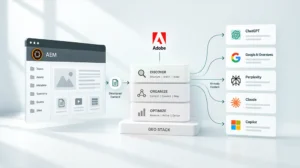
Edge Delivery Services pushes rendered content to the network edge, serving it from nodes geographically close to each visitor rather than from a central origin server. Combined with persistent caching, pages load with minimal round-trip latency regardless of origin load.
Adobe’s Edge Delivery overview lays out the shift plainly. Edge Delivery Services replaces the traditional AEM Publish and Dispatcher layer with a multi-cloud software as a service (SaaS) solution. That removes the infrastructure bottlenecks that used to make AEM performance tuning a specialist job.
3. Lean Front-End Code
Edge Delivery Services uses a CSS and JavaScript-only front-end model managed through GitHub. Blocks, the building unit of Edge Delivery pages, load sequentially and arrive in small, compressed segments over HTTP/2.
Adobe’s Keeping It 100 guide is direct about one counterintuitive point: code minification doesn’t improve Lighthouse scores in Edge Delivery Services and just adds build complexity without a payoff. The platform is optimized at the delivery layer, so a perfect score doesn’t require specialist performance engineering on every project.
Why the Score Matters Beyond the Number
A Lighthouse score of 100 isn’t a vanity metric. It carries direct, measurable weight across four areas.
SEO and organic search. Core Web Vitals affect search rankings directly. Pages that load slowly, shift unexpectedly or respond sluggishly get penalized in Google’s ranking algorithm, and a perfect score maximizes those signals.
AI search and generative engine optimization (GEO). Edge Delivery websites are built to work for both traditional search engines and GEO, the practice of optimizing content for large language models (LLMs). For enterprise teams investing in AI search visibility, this post on AI search covers how performance and content structure connect.
Bounce rate and engagement. The Adobe data referenced earlier makes the connection clear: a 40 percent increase in engaged visit rate and a 12 percent reduction in bounce rate followed directly from the performance gains Edge Delivery delivered.
Conversion. AEM Sites Optimizer continuously monitors Core Web Vitals and ties performance improvements to conversion outcomes, not just technical scores.
What Authoring Looks Like for Content Teams
A common concern when evaluating Edge Delivery Services is whether the performance-first architecture creates friction for content authors. It doesn’t.
Edge Delivery supports two authoring approaches side by side. Document-based authoring lets teams create content in Microsoft Word or Google Docs and publish it directly from SharePoint or Google Drive, no AEM interface required. AEM authoring with Universal Editor gives teams full AEM authoring capability with a visual editing experience, connected to Edge Delivery for publishing.
Authors keep using the tools they already know, which means the performance architecture stays invisible to the content team. For teams evaluating how this scales across large, multi-site environments, this AEM implementation checklist covers the governance and workflow decisions that determine whether authoring at scale stays manageable after go-live.
What Threatens the Score After Go-Live
Achieving 100 is the straightforward part. Adobe’s go-live checklist requires every AEM project to validate a perfect Lighthouse score on the production environment before launch. Maintaining it is where most teams run into trouble.
The most common causes of degradation after go-live come down to four things. Third-party scripts loaded too early cause the most damage. Bot detection libraries, tag managers and analytics scripts injected in the Eager or Lazy phase block LCP and inflate INP. Keep them deferred to the Delayed phase. Content delivery network (CDN) misconfiguration is another culprit. Adding a CDN layer can introduce HTTP/1.1 connections or ineffective origin caching, both invisible during pre-launch testing and only surfacing once the site is live. Redirects add up too. Every redirect between a visitor’s requested URL and the final destination adds a performance penalty that compounds on mobile connections, so minimizing redirect chains before go-live is one of the highest-impact pre-launch moves. And unoptimized images remain the most common LCP killer. Edge Delivery handles image optimization automatically when images are referenced correctly through the platform pipeline. Manual uploads that bypass that pipeline introduce regressions that are often hard to trace.
AEM Sites Optimizer continuously monitors Core Web Vitals using real user data and operational telemetry, catching regressions before they compound and generating code-level recommendations to fix them.
Is Your AEM Environment Ready for Edge Delivery?
Edge Delivery Services is available for AEM as a Cloud Service. On-premise and older managed service deployments need migration before the Edge Delivery architecture becomes accessible.
For teams evaluating readiness, a few questions matter most. Is your AEM instance on Cloud Service or still on-premise? Are your content workflows structured for document-based or Universal Editor authoring? Are third-party scripts currently injected outside a governed loading sequence? Is your CDN configuration compatible with Edge Delivery’s HTTP/2 delivery requirements?
If any of those questions raise uncertainty, that’s the right starting point. Our whitepaper on AEM optimization covers the architectural decisions that determine both performance headroom and AI readiness, and where Edge Delivery fits into the bigger AEM optimization picture.
A Focus Area Audit with the NetEffect team is the fastest way to map your current environment against Edge Delivery readiness and identify the specific steps between where you are and a consistent 100.
Frequently Asked Questions
Yes, per Adobe’s own FAQ. It’s the expected baseline when the platform’s front-end conventions are followed, not an advanced optimization target.
Yes. Content from existing AEM instances integrates directly with Edge Delivery, per Adobe’s Edge Delivery overview. Authors keep working in familiar tools. The delivery layer changes. The authoring layer doesn’t have to.
It depends on where they load. Tags injected in the Eager or Lazy phase will degrade LCP and INP. Tags loaded in the Delayed phase, at least three seconds after LCP, won’t affect the score. Governing where third-party scripts load is one of the most important post-launch maintenance decisions for teams running Edge Delivery.
No, Edge Delivery Services requires AEM as a Cloud Service, and on-premise deployments aren’t supported. For organizations weighing the move, our guide on AEM deployment options covers the decision factors and migration considerations in detail.
Edge Delivery websites are built for both traditional search and LLM optimization. Clean HTML structure and strong Core Web Vitals both feed AI citation readiness. Performance and AI visibility come from the same underlying architectural decisions, not separate workstreams.